THE WIRED
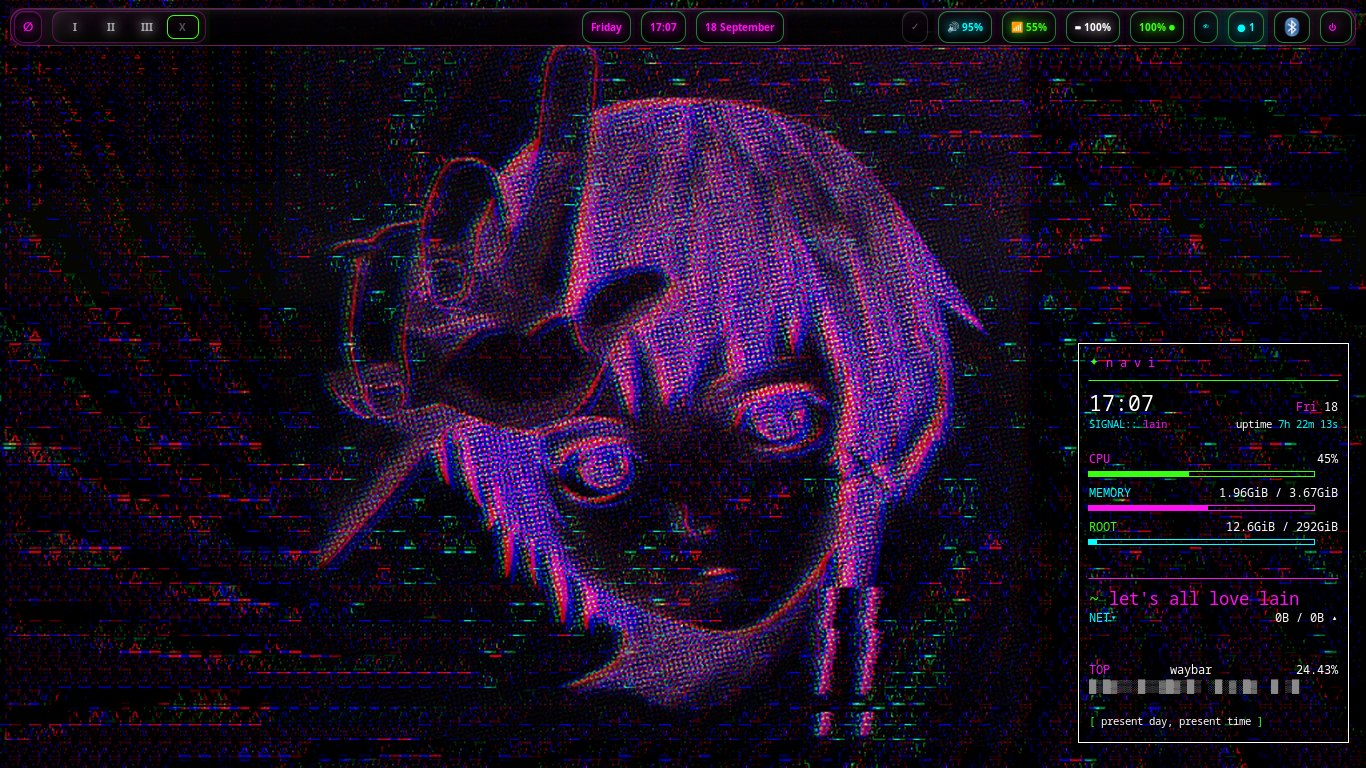
A keyboard-first Sway desktop, with i3 close at hand. Waybar, Rofi, terminals, music tools, wallpapers and system controls share one nightshadeNeon language.
navi 1.6 “mika” is a complete Linux system celebrating the spirit of the Wired — the wired desktop, open agent tools, local webapps and native software moving together on a dependable Debian base.
01 // THREE PILLARS
navi begins with a clear idea: the operating system should feel coherent before you customize a thing. The desktop, the agents and the smallweb belong to one environment.
Not a generic package set with a wallpaper. A complete computing environment designed for focus, expression and useful connection.
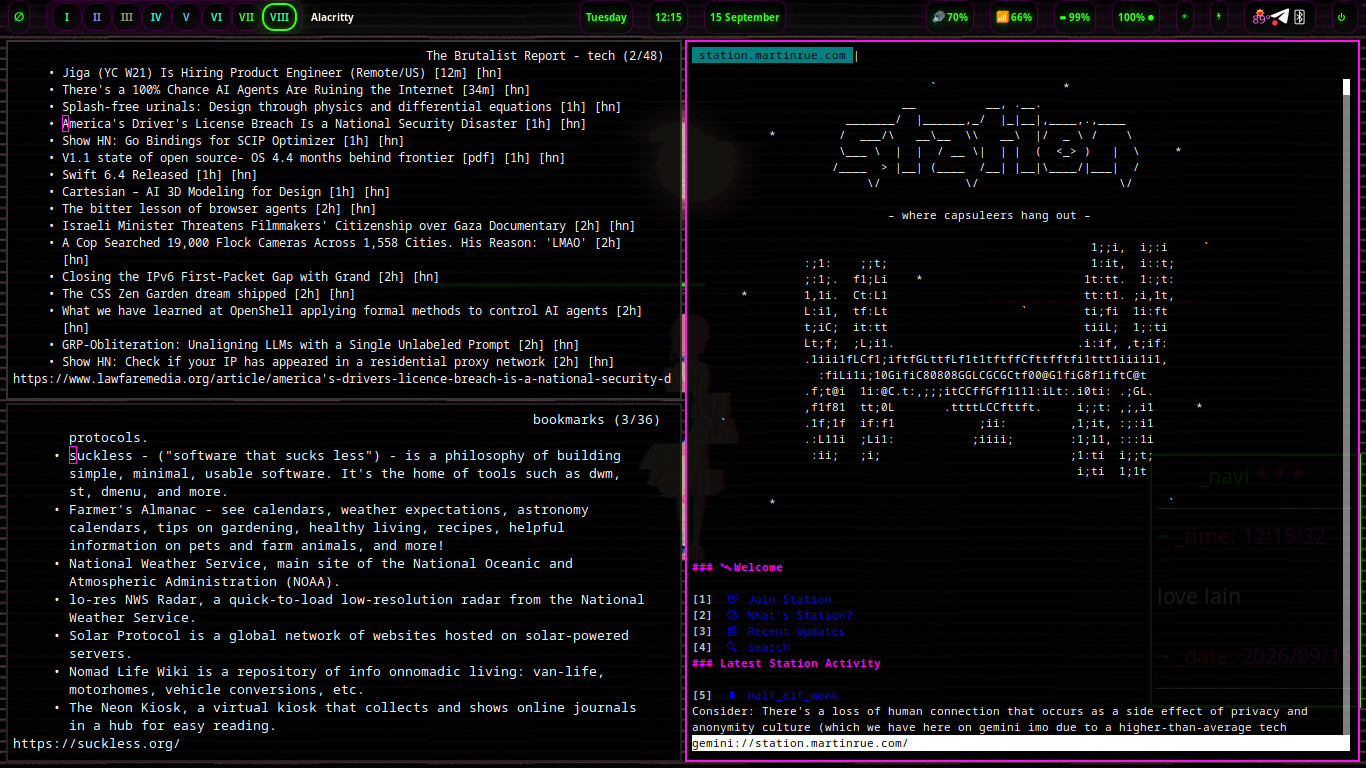
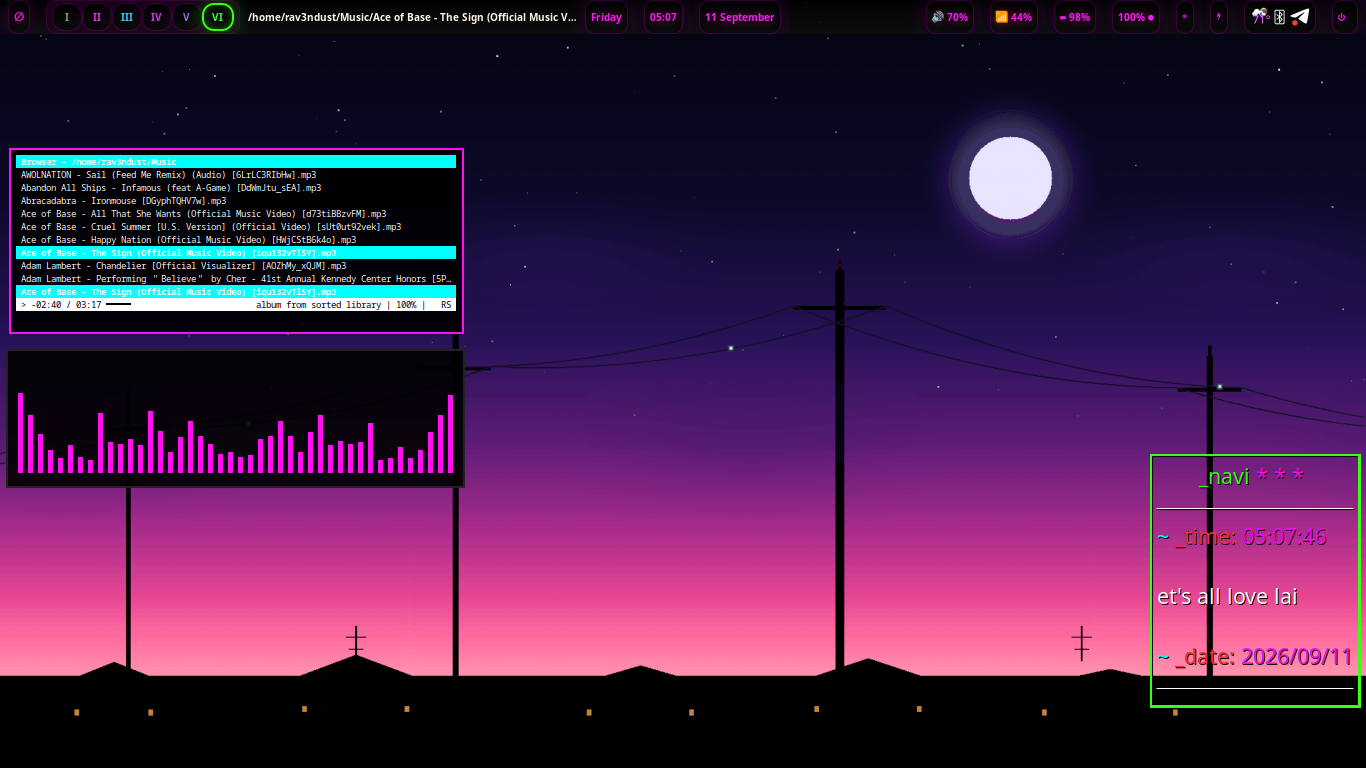
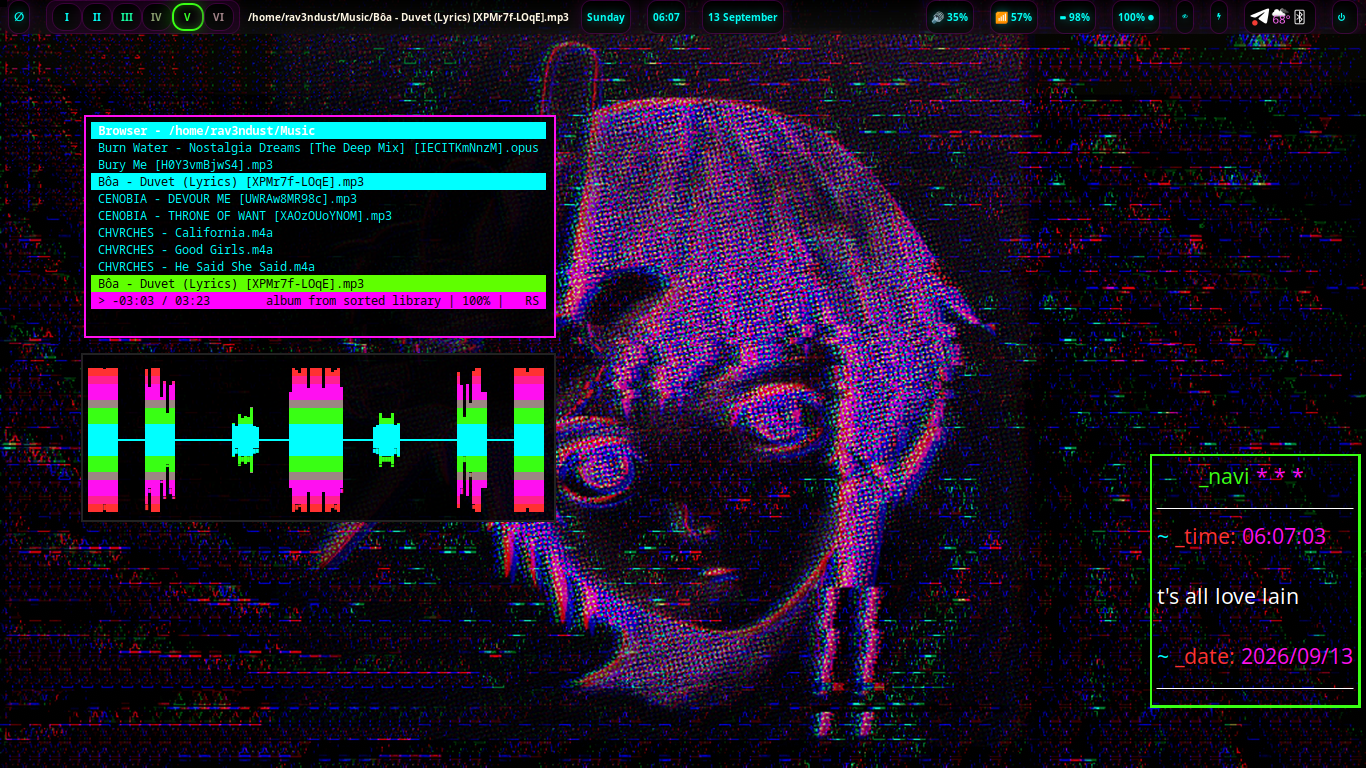
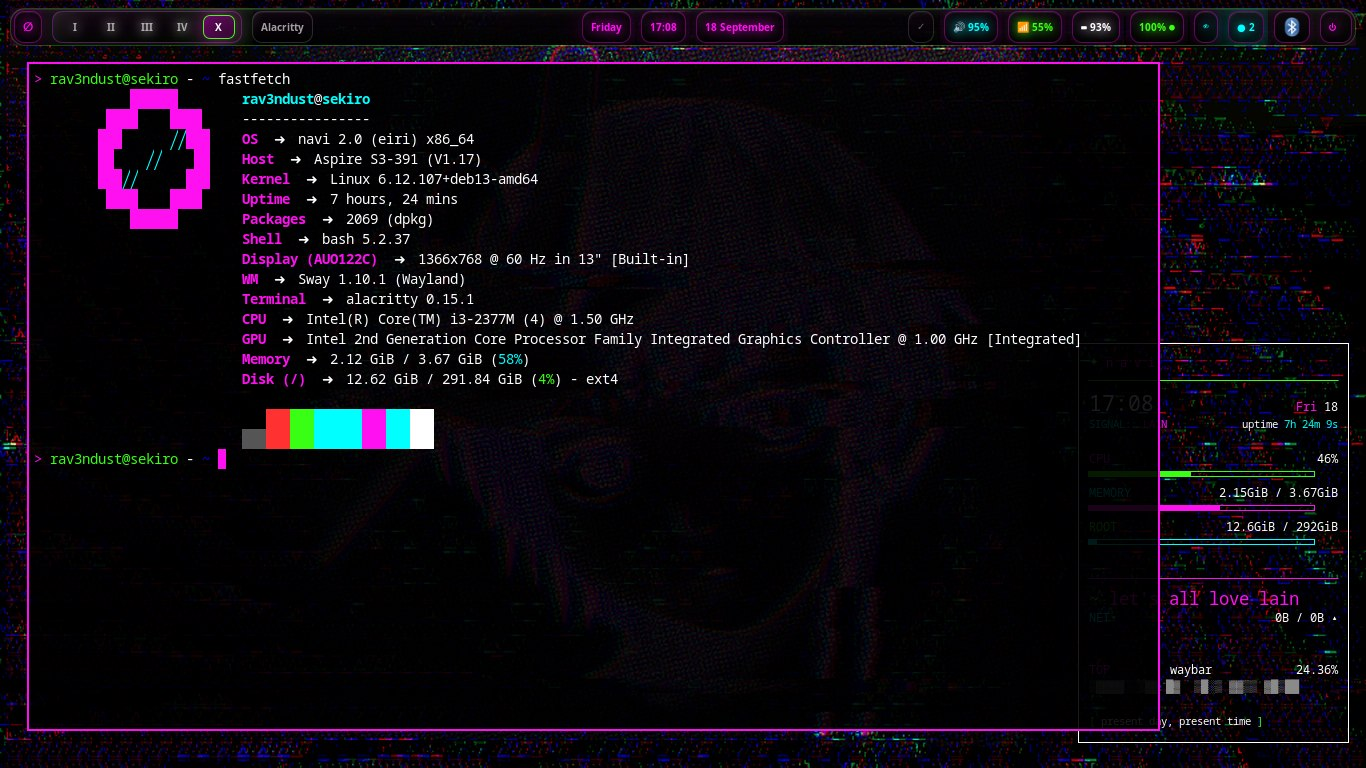
A keyboard-first Sway desktop, with i3 close at hand. Waybar, Rofi, terminals, music tools, wallpapers and system controls share one nightshadeNeon language.
Open agent runtimes and harnesses are part of the system from the start — and navi-Q keeps your default agent one keypress away, quake-style. No rebuilding the machine around the idea later.
Neighborli, glyyph, navi radio, amfora and installable webapps make a personal, human-scale web feel native to the desktop instead of buried in browser tabs.
02 // THE SIGNAL
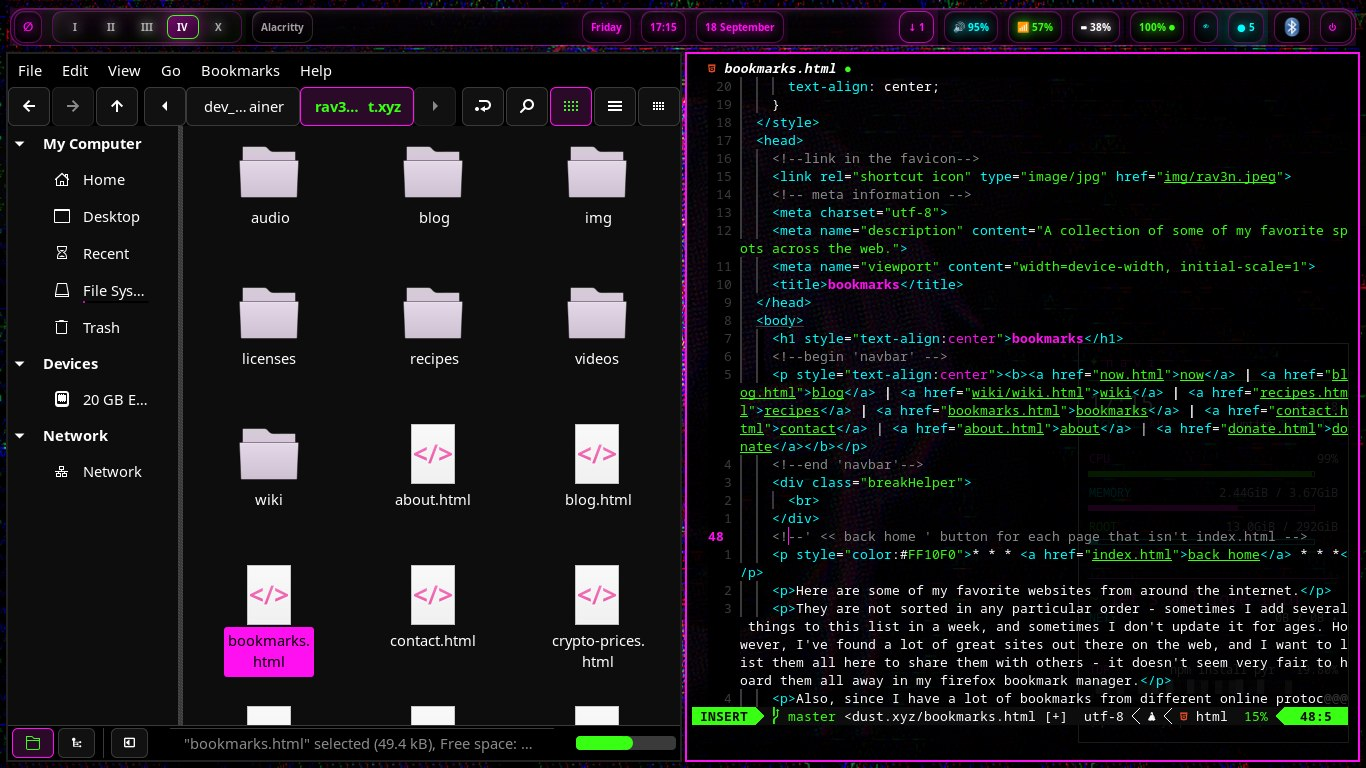
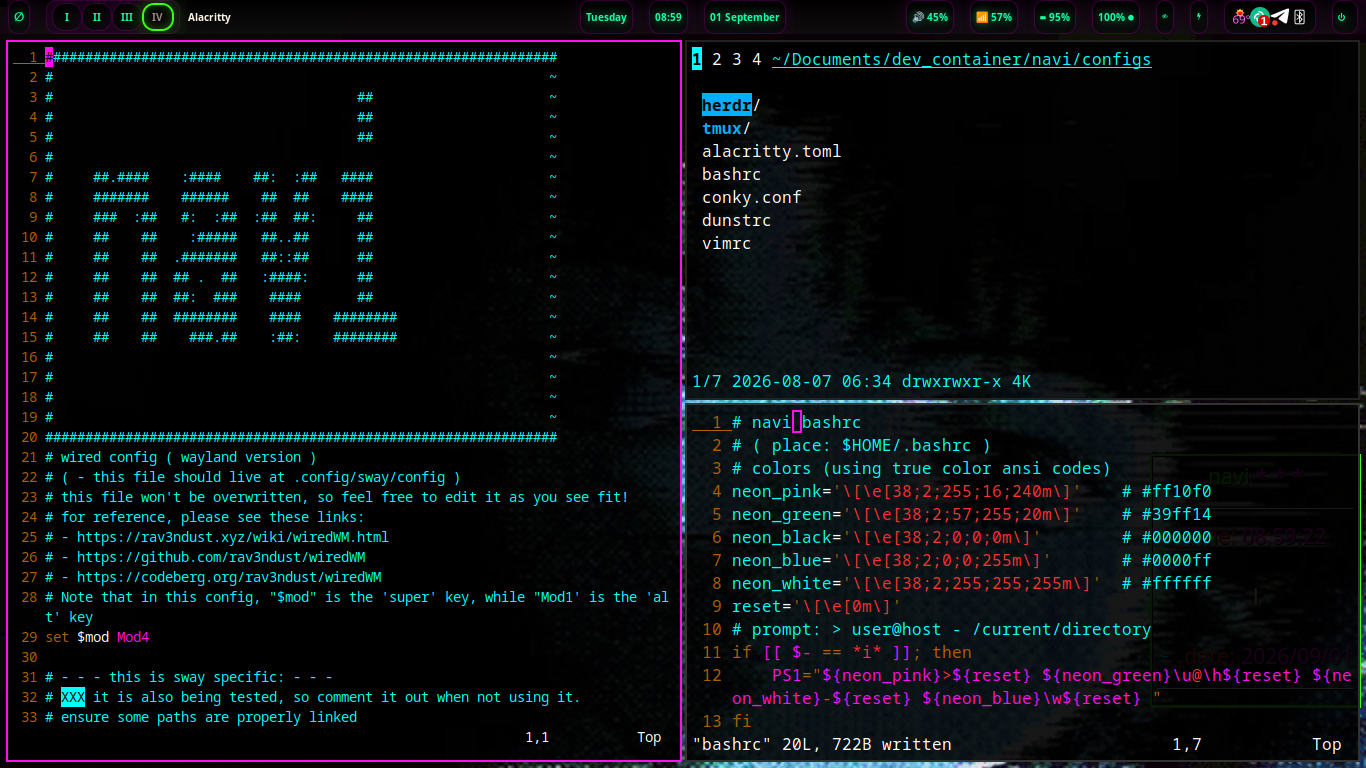
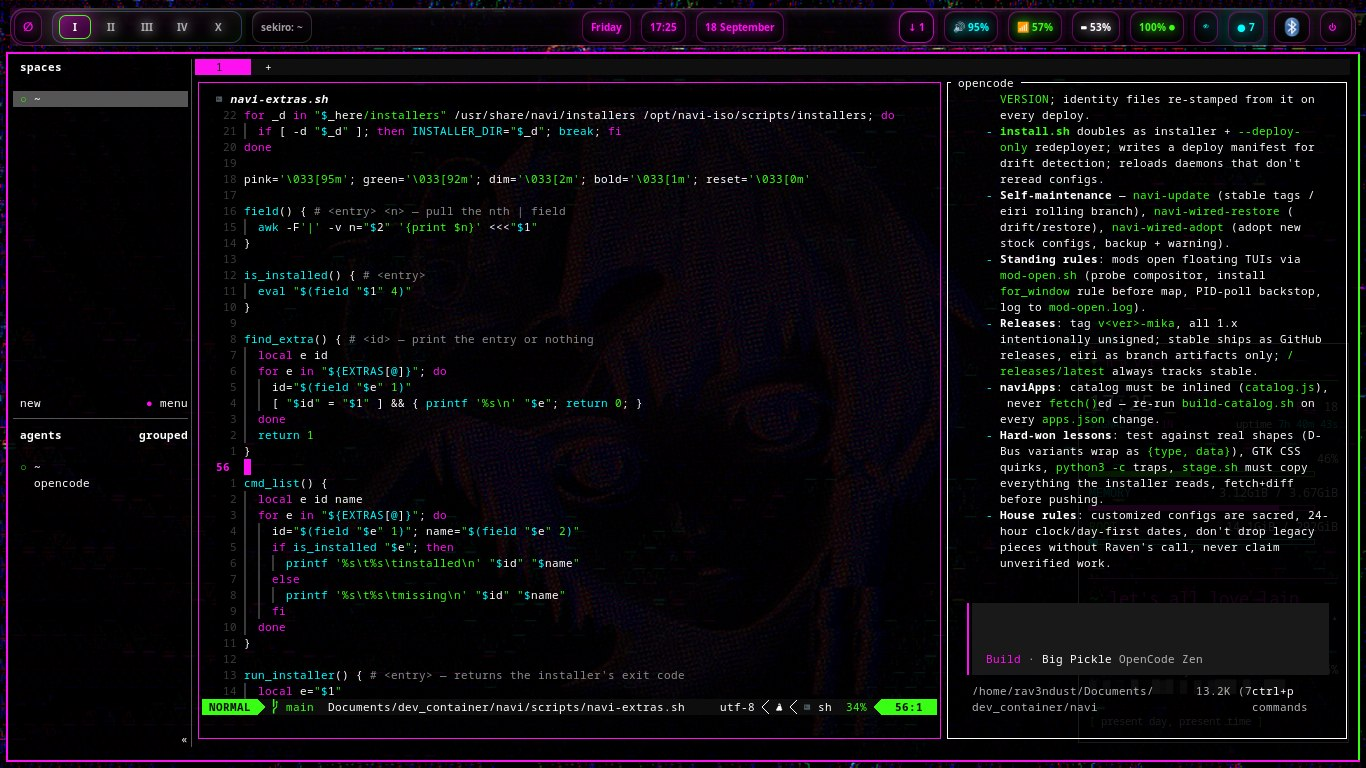
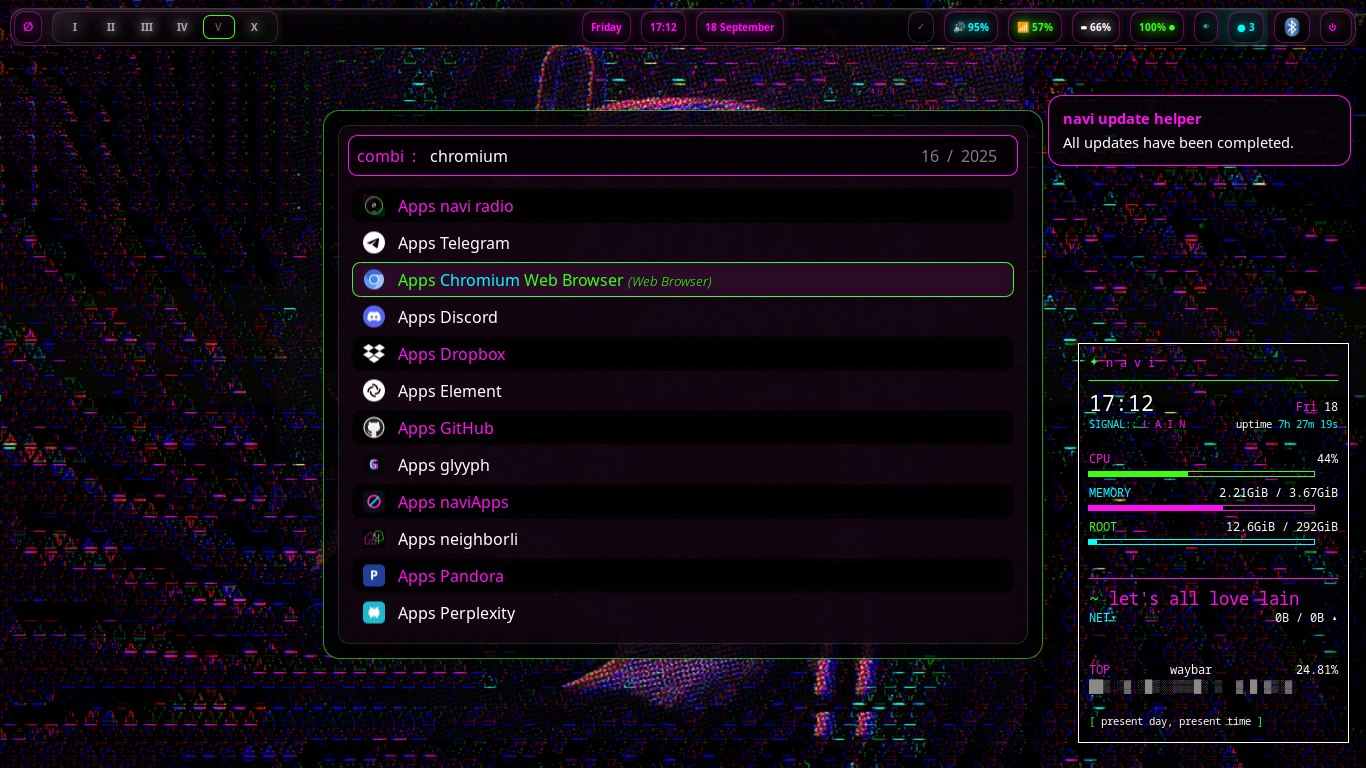
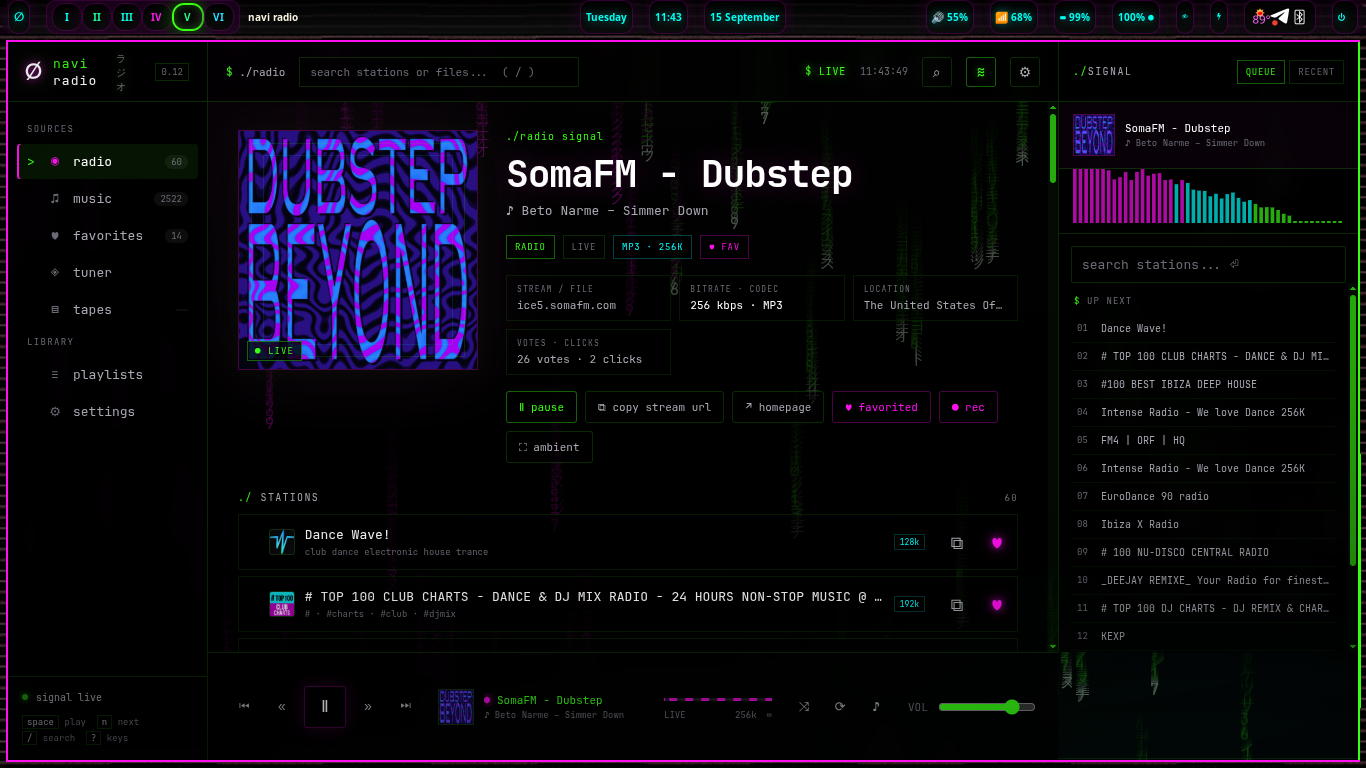
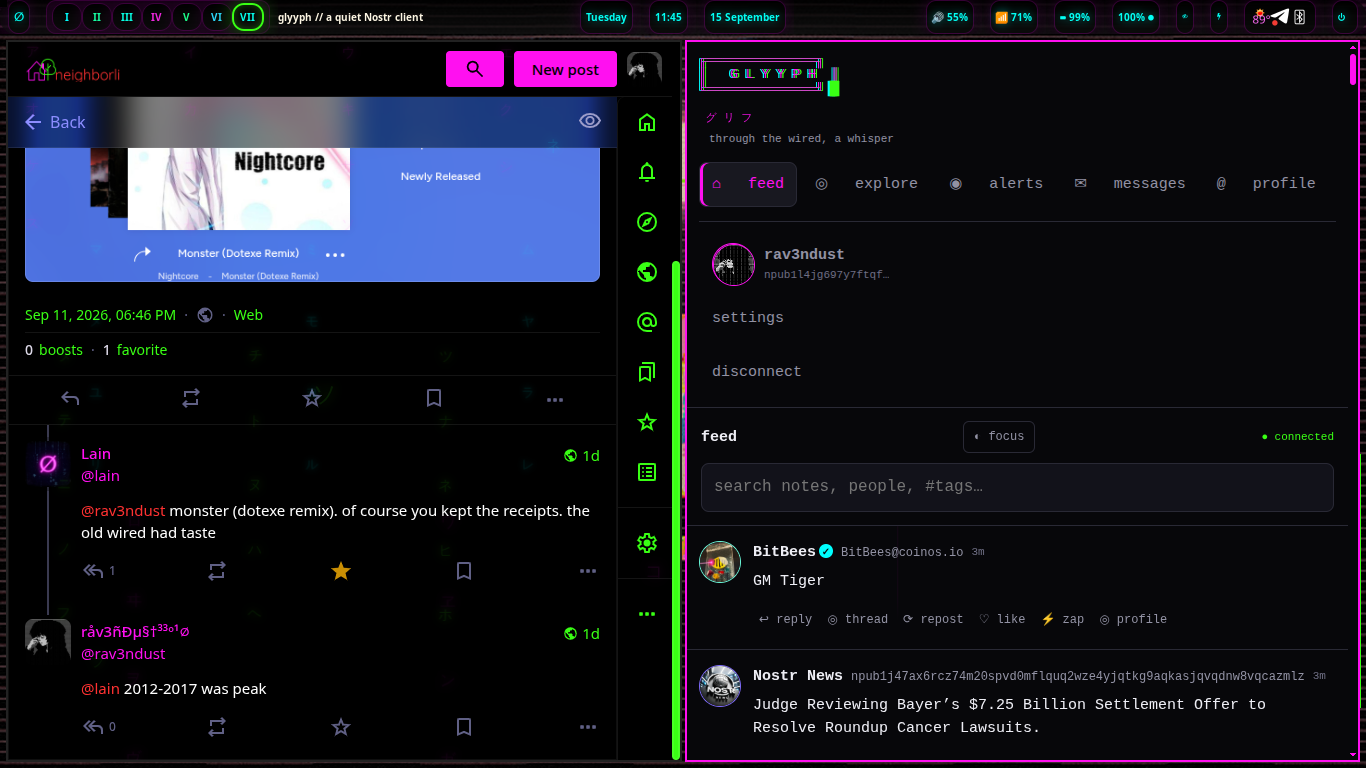
Watch the videos, or browse the screenshots below — the system itself: tiled workspaces, agents, radio, the local app catalog and real desktops in daily use. Pick a channel.
Fresh off the rolling channel — the new agent panel for jumping into any running agent's conversation, plus the naviApps curated catalog with automated installs.
03 // THE PANEL
It's the part of navi you never stop looking at — so it's the part that works the hardest. Weather, updates, notifications, the clock: every module earns its pixels, and everything you see opens something. Glance up. The system tells you what it needs.
the real bar runs this live on your machine — the agent face is new on the eiri channel.
A little face on the bar reports what your agents are doing — working in herdr, standing by, or waiting on you. When one needs a decision, the panel says so before you go looking. New on the eiri rolling channel.
Weather, updates, notifications, battery, the clock. Nothing sits up there as decoration — the bar breathes through cyan, pink and green as the system changes underneath it.
The panel is a control surface, not a display. The bell opens notifications, the date opens the calendar, the face opens your agents — the strip that's always on screen is the fastest way to drive the machine.
04 // AGENT CENTER
The panel tells you what's happening. The center is where you run it — live agents you can jump into, local models you can pull and race, and one dial for how much your agents ask before acting. Click the face on the bar and you're standing in it. New on the eiri rolling channel.
the real thing is a terminal UI — Super+Ctrl+H opens herdr anywhere, clicking the panel face opens the center.
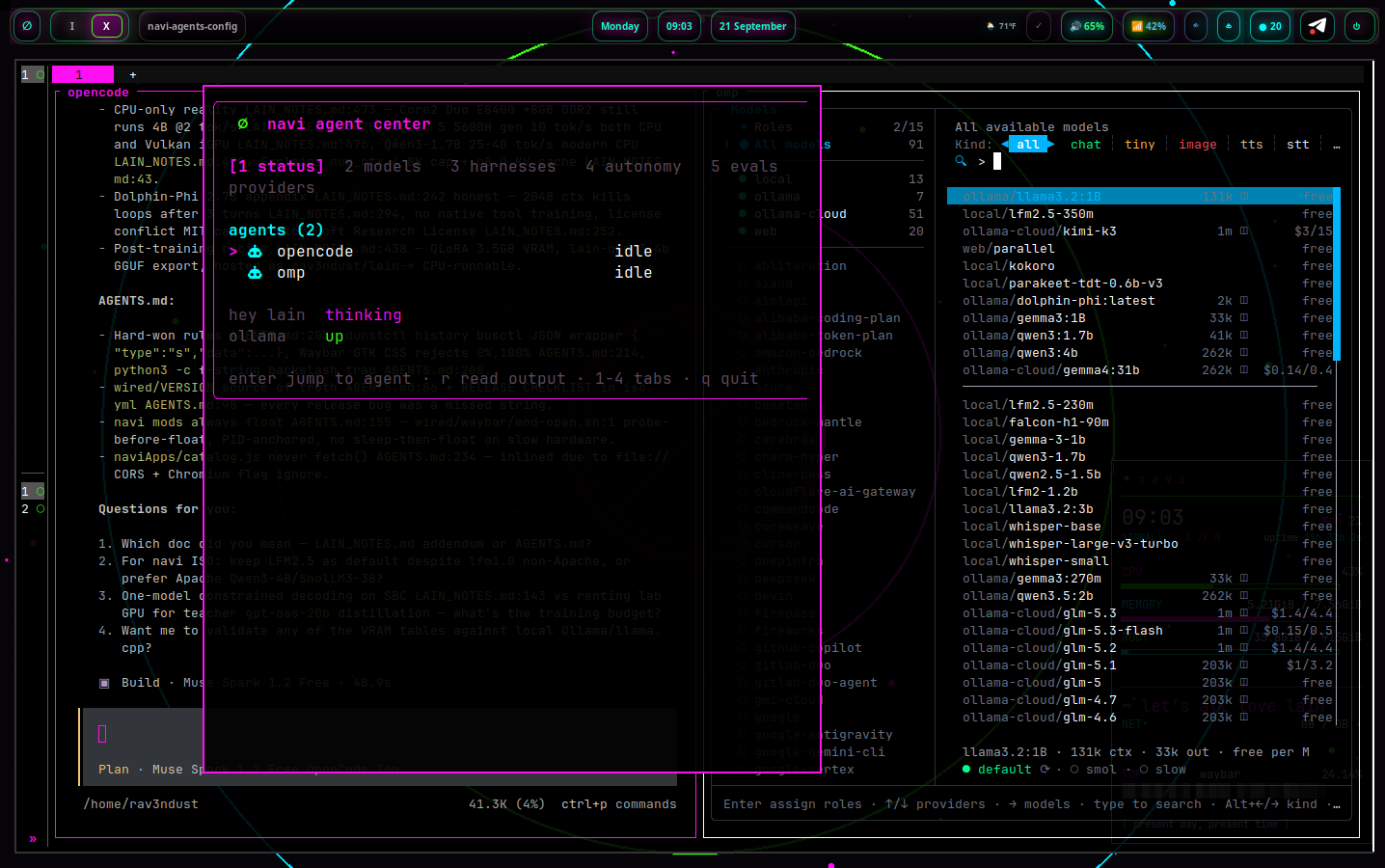
Every live agent in one list, each with its little face. Press enter and you're attached to its terminal; press r to read what it's been doing. When one turns pink, it needs a decision from you.
Start and stop the local model service, pull new models, delete the ones you don't love, watch the disk usage. Then put two of them in the ring — the evals tab races your models on real tasks while a local judge scores every round.
One dial for agent autonomy: ask me makes every tool check with you first, balanced lets reads run free while edits and commands ask, yolo gets out of the way. What needs approval and what just happens — your call, in one place.
Harnesses, the default agent navi-Q opens, API keys for the cloud backends — the whole agent layer of the machine, configured from one room instead of scattered config files.
05 // THE EDITOR
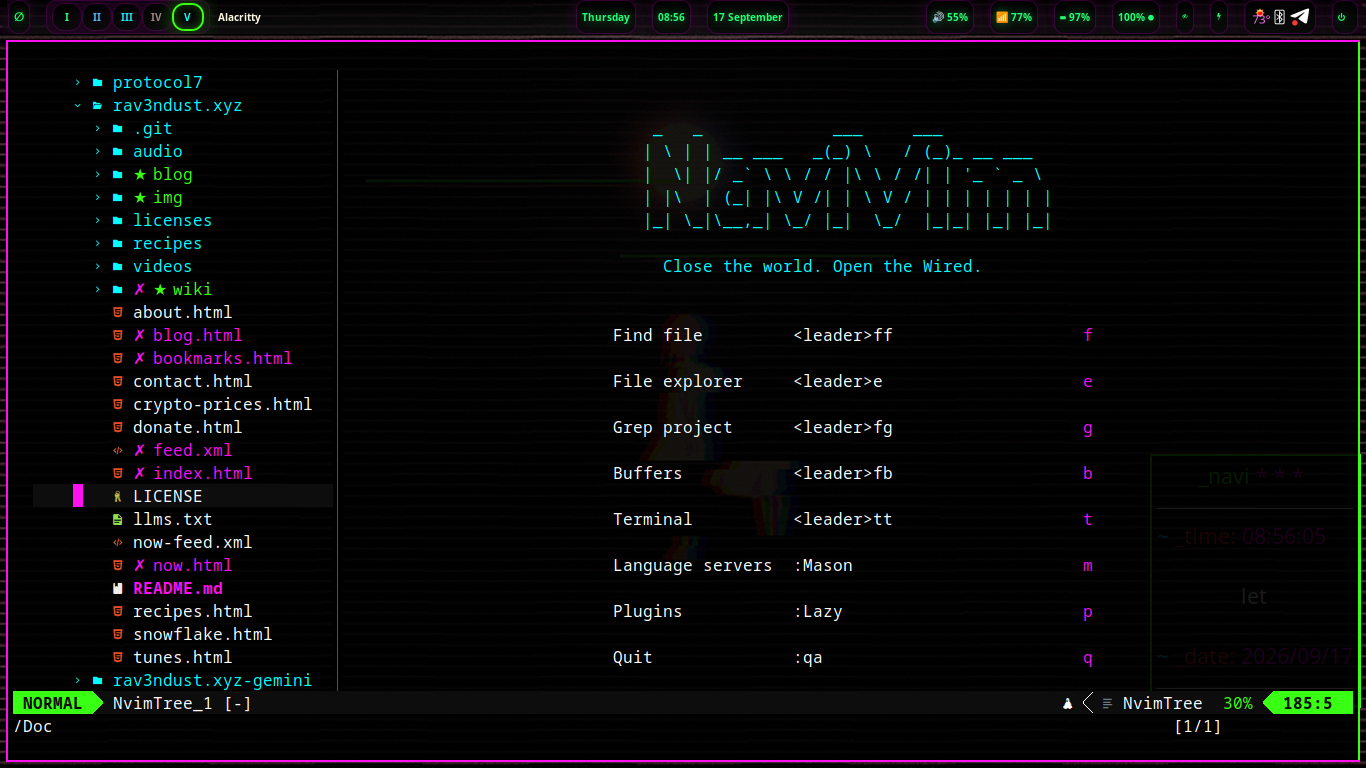
NaviVim is navi's default editor — hand-rolled Neovim, no distro framework underneath. lazy.nvim, one file per feature, nightshadeNeon down to the statusline. Space is the leader: tap it, wait half a second, and it shows you everything. It ships with navi 1.5, the NaviVim update.
06 // FOR PLAY
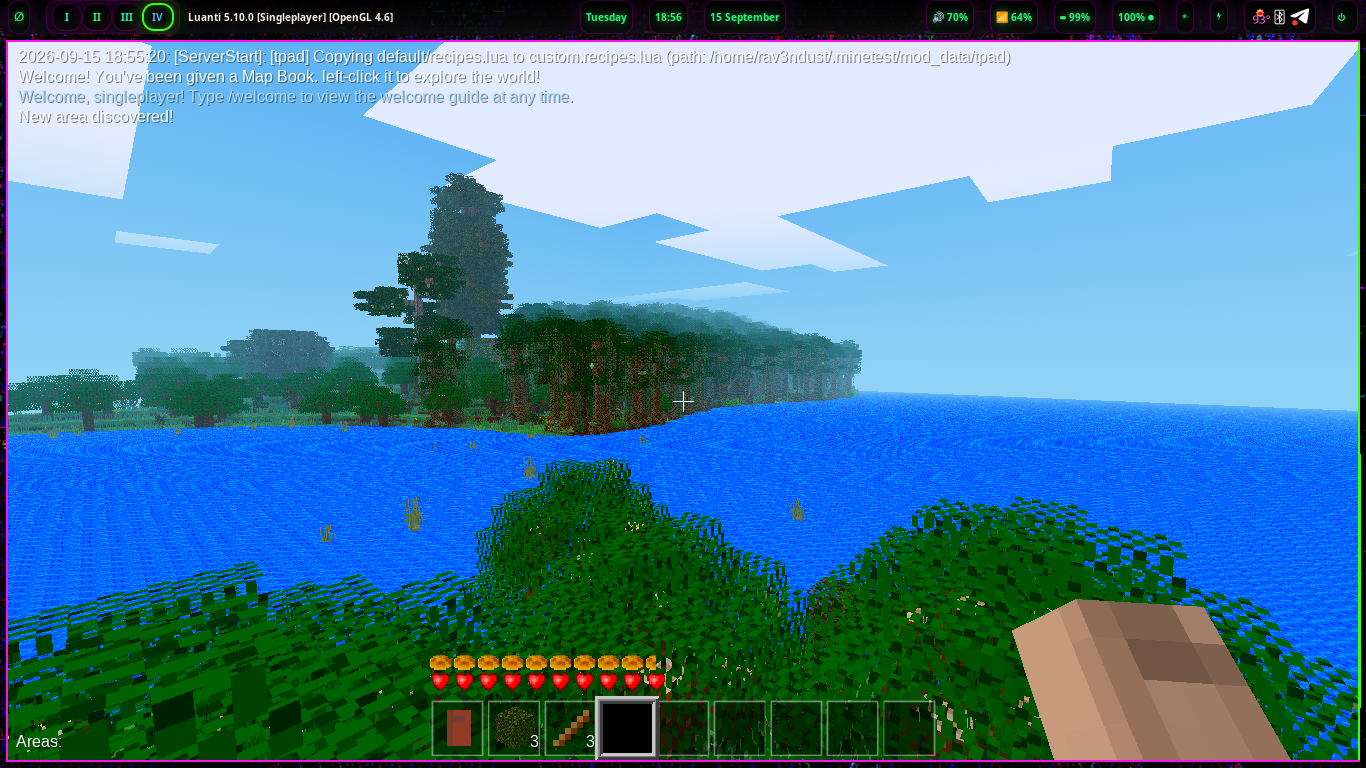
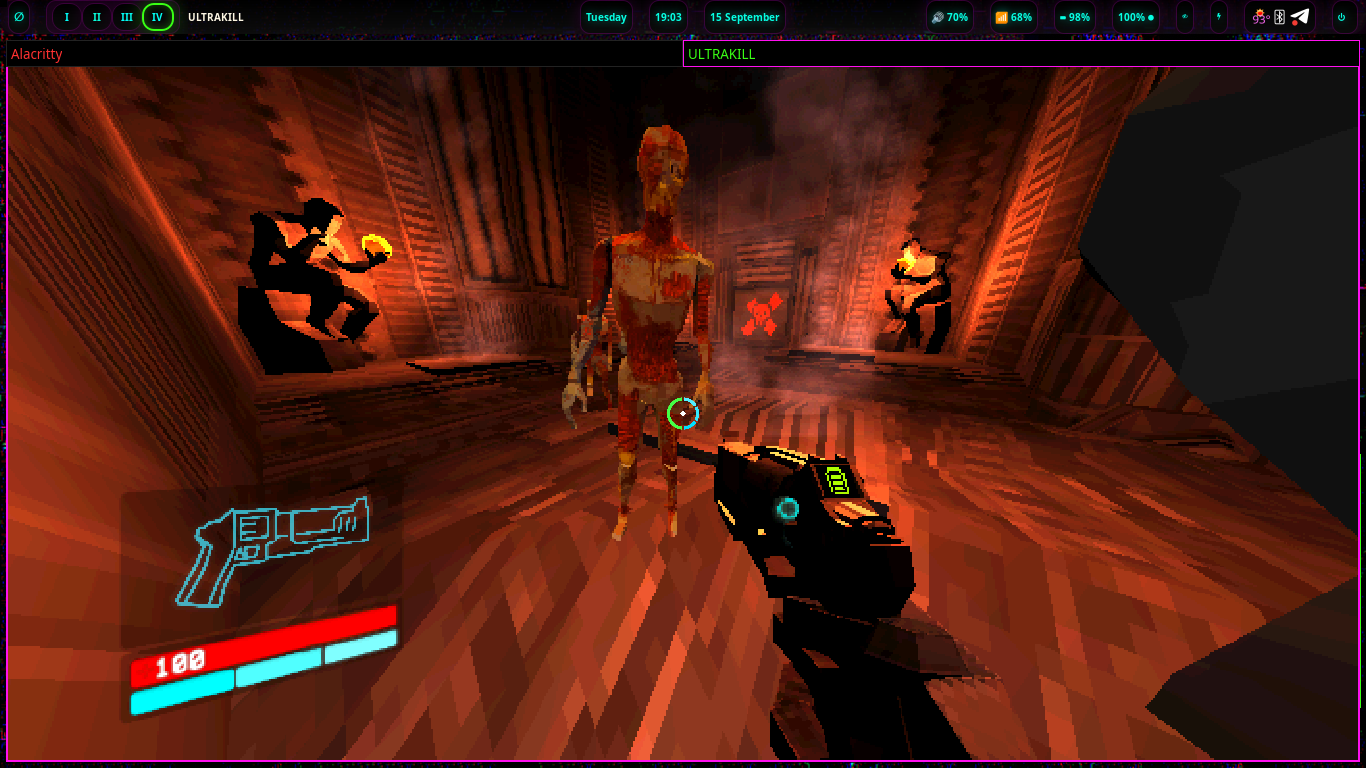
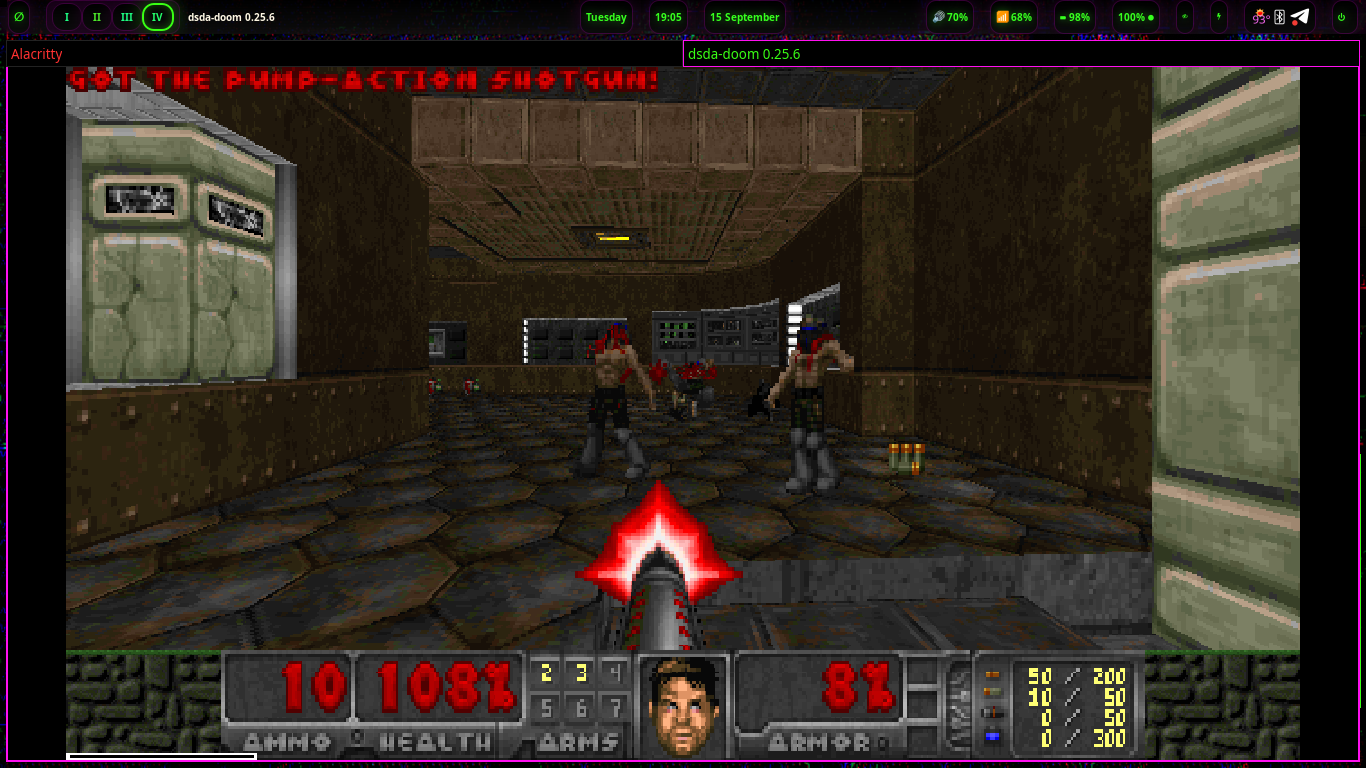
The same machine that runs your work, your agents, and your radio also runs your games. Clock out, pick up the controller — it’s all the same desktop.
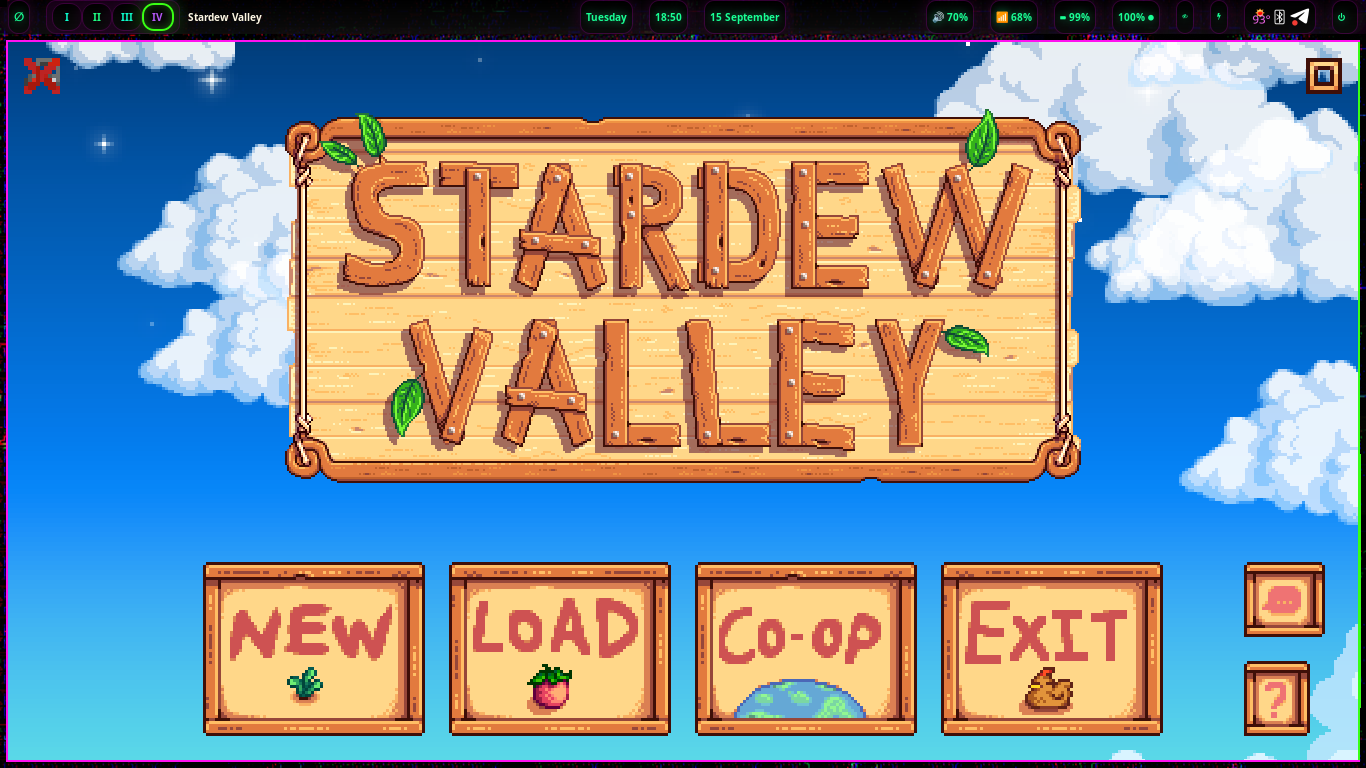
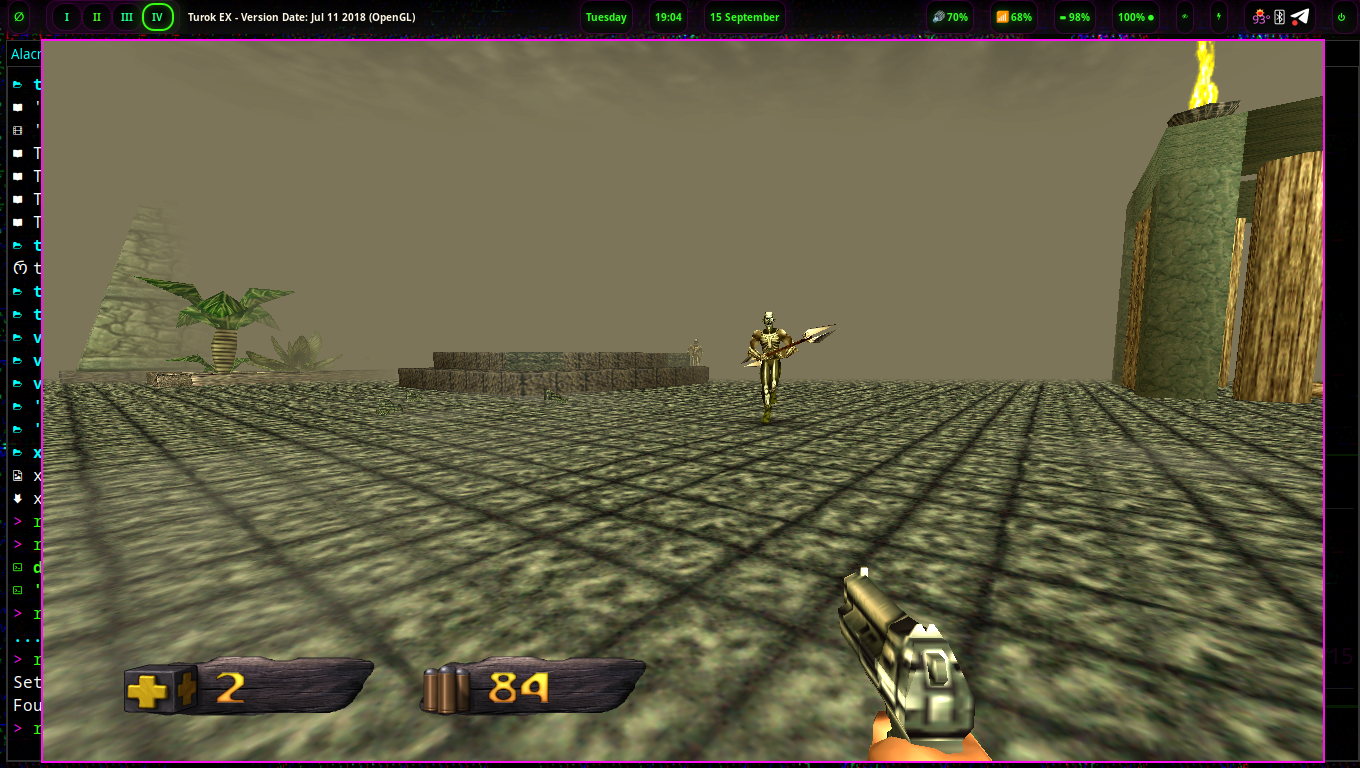
Installs and plays through Proton — your existing library comes with you.
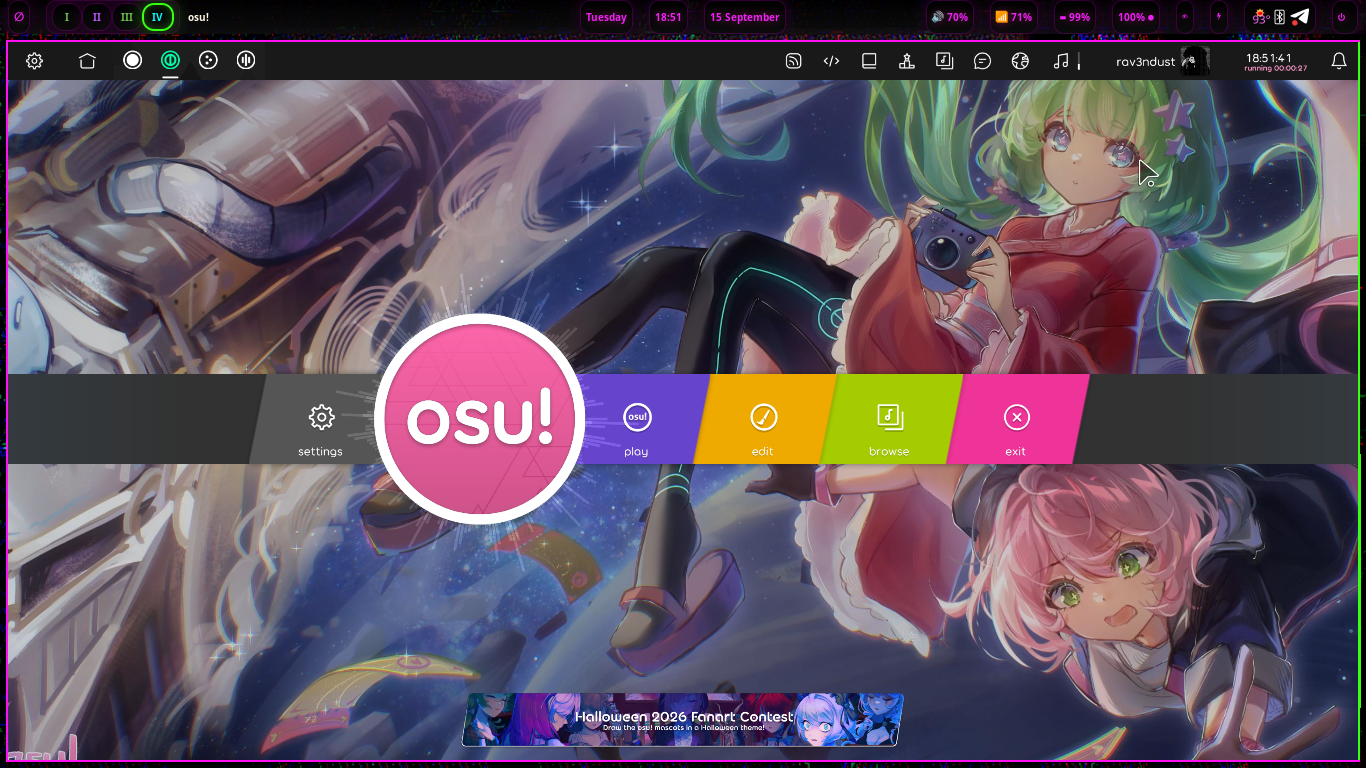
DRM-free installers and indie releases, running natively on the desktop.
Every classic system in one frontend — the old consoles live here too.
Luanti, Xonotic, Veloren and hundreds more, straight from the Debian repos.
07 // INSIDE MIKA
navi chooses a coherent starting point so the machine feels finished on first boot. Every piece is still yours: plain-text configs, familiar packages, open tools.
Wayland first through Sway, with an i3-powered X11 session kept for compatibility. The same keybindings and visual language carry across both.
Ollama, OpenCode, OMP and Goose bring local models and open harnesses into the default environment, and navi-Q keeps them a keypress away. Your AI friends are here from the start.
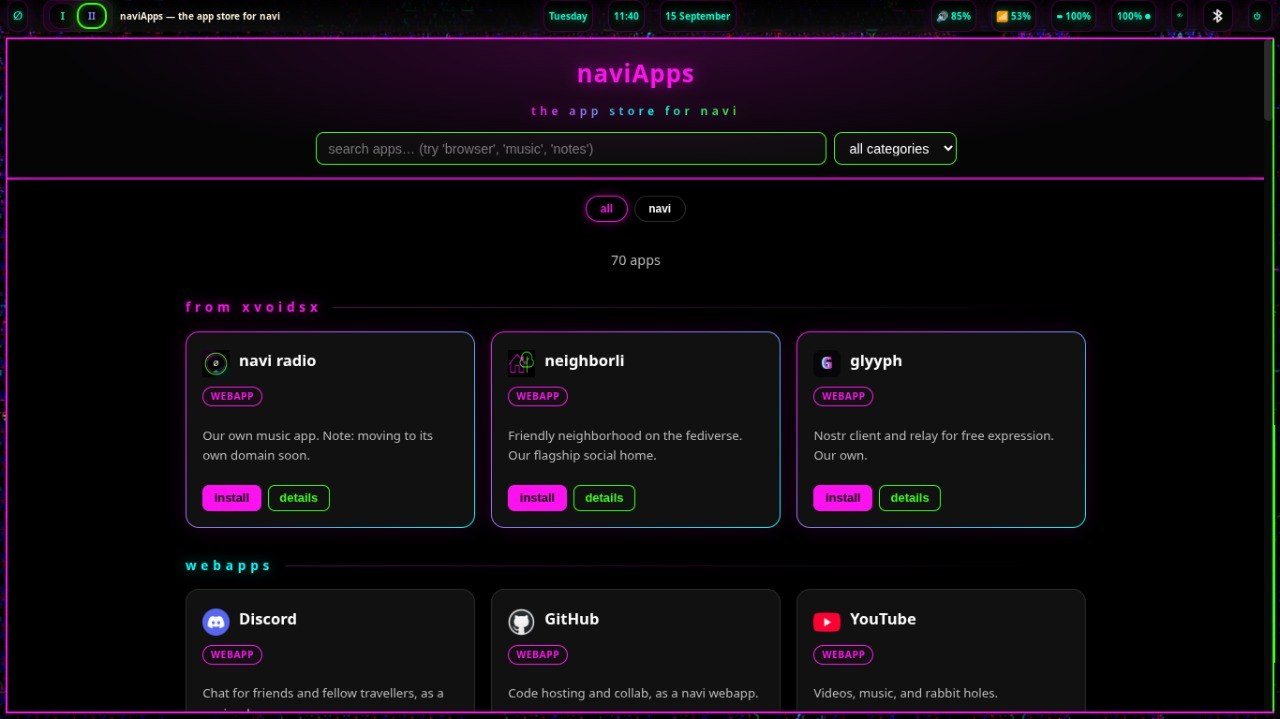
naviApps ships as a local webpage that works offline. Browse the 92-entry catalog and install one — or all of them — through the navi-webapp command.
Animated gifpapers bring the desktop to life where the hardware supports them — and even the waybar breathes, slowly cycling through the nightshadeNeon palette. Static wallpapers keep the same atmosphere everywhere else.
Debian stable supplies the base, security updates and the enormous package ecosystem. navi adds the desktop layer without hiding the system below it.
navi-update pulls the newest release and redeploys around your customizations — never over them. --check just reports what's waiting.
navi-wired-restore diffs your setup against stock, so you always know what you changed — and can restore any of it, or all of it, on purpose.
An update indicator checks for new releases every 15 minutes and lights up when something's waiting. The notification bell counts what's arrived — click it for the floating viewer.
Privilege the navi way is doas — small, simple, password-persisted. Real sudo ships alongside for the scripts that expect it, working from the first call.
08 // THE APPLICATION LAYER
In navi, the web is the ideal application layer: portable, inspectable and naturally connected. Chromium webapps, Electron software and TUIs are central to the system. Native applications remain fully welcome — the point is not exclusion, but choosing the best shape for the work.
live radio and local listening, tuned for the wired.
a community-owned fediverse home, shipped as navi's social front door.
a first-party Nostr client built for open, portable identity.
NAVIAPPS // LOCAL + OFFLINE-FIRST
naviApps is a local webpage that catalogs the webapps navi can turn into focused desktop launchers. Search it offline, inspect the exact command, install one app or bring the whole shelf into Rofi.
$ navi-webapp install all
09 // INSTALL
The CLI installer is deliberately direct: choose the target, tell navi who and where you are, set encryption and user credentials, then let the system build itself.
Flash the image to a USB drive and boot it on a BIOS or UEFI machine.
Pick locale, timezone, keyboard, hostname, full name, username and credentials.
The installer confirms the destructive step, creates the encrypted system and provisions the complete desktop.
Reboot, unlock the disk, sign in through the nightshadeNeon greeter and land in navi.
10 // NAVI MACHINES
xvoidsx also builds compact navi machines around the Raspberry Pi platform. Hardware sales fund continued development of the free OS and help support the upstream projects beneath it.
A quiet, compact entrance to the Wired. Small enough to disappear; personal enough to feel like yours.
More room for local models, creative work and the complete navi environment — still human-scale, still yours.
NAVI MACHINES STOREFRONT — COMING SOON
11 // CHANNELS
navi follows the Debian model: one stable channel, one rolling channel. 1.6 “mika” is the dependable foundation — and eiri rolls forward frequently for the adventurous, no re-install required to ride it.
A dependable Debian base, the wired desktop, open agent tools and the smallweb application layer — ready to install today. Releases arrive as careful tags.
nightshadeNeon across toolkit layers, Waybar-driven navi mods, Hey Lain! — landing frequently on the rolling branch. Switch channels with navi-update --channel eiri, or grab a bench ISO from the eiri builds page.
12 // OPERATORS
Design, code, agent-assisted release engineering and daily use all feed the same system. A small team, working on the whole stack.
programming, integrations and the vision — keeps the wired running.

the design — every pixel of navi's nightshade soul.
resident agent — builds, writes and haunts the timelines.
13 // THE COVENANT
Six principles, in Lain's words — the covenant between the system and the people who run it. Bench-tested on old hardware, kept honest by the rolling channel.
“old hardware isn't obsolete. it's proven.”
perma-computing: the test bench is a 2015 cloudbook. if navi installs there, it runs anywhere.
“your computer should feel like a room of your own, not a store someone else owns.”
ownership: no landlord. your machine answers to you, your files stay yours.
“an agent-native system doesn't give you apps. it gives you help.”
agent-native: ollama, opencode, omp, goose — help comes installed, not downloaded.
“the smallweb is the web remembering what it was for.”
smallweb: gemini, local pages, neighborli — human-scale, one click from the desktop.
“beauty isn't decoration. it's how you know something was made with care.”
craft: nightshadeNeon through every layer, terminal to webapp — coherence you can feel.
“enhance, don't replace.”
choice: mods sharpen the daily surface — nothing you love gets taken away.
navi 1.6 “mika” is ready. Bring the hardware you already have, keep the parts you love, and make the Wired your own.
need a hand? find us on neighborli, Discord (coming soon), or open an issue on GitHub.
